
▼ A clearer Map experience
The Home section in the left-hand menu has been renamed Map and now includes a map icon, making it easier to identify where to access the main map view.

▼ New Dashboard View
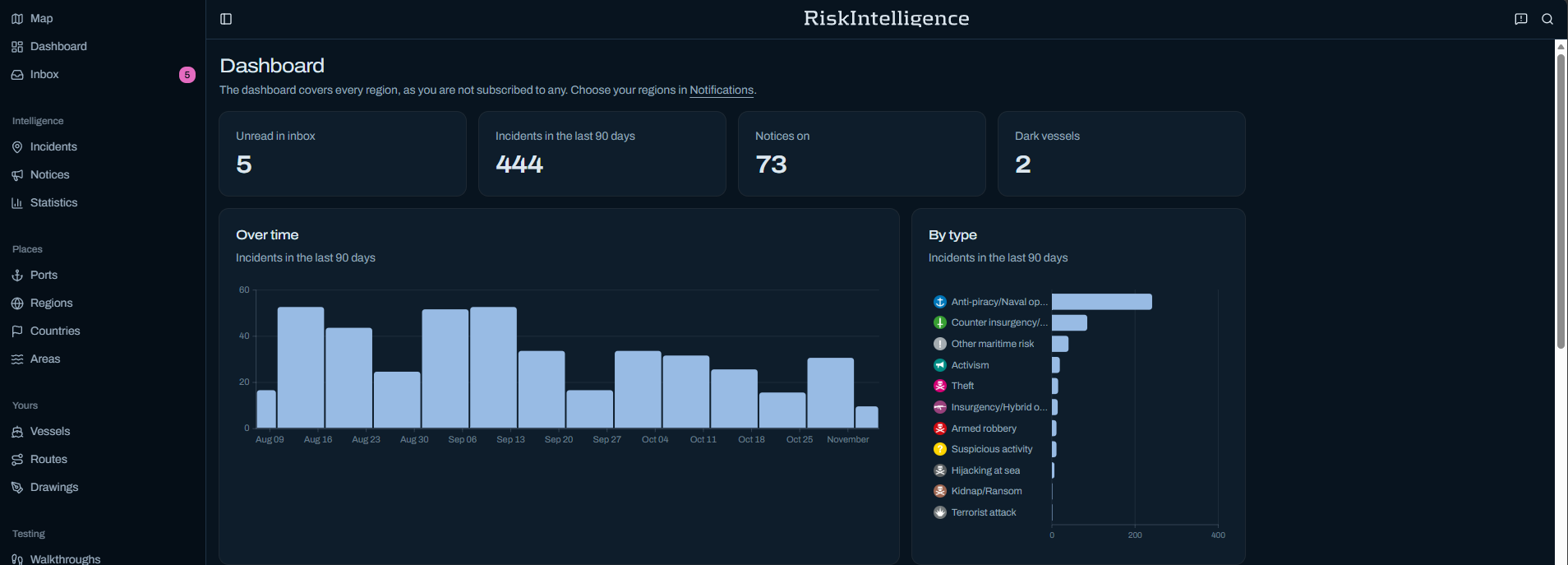
A Dashboard is now available from the left-hand menu. It provides a simple overview of relevant information based on your current settings.
Select Dashboard from the menu to explore the new view.

▼ Territorial Waters now available on the Map
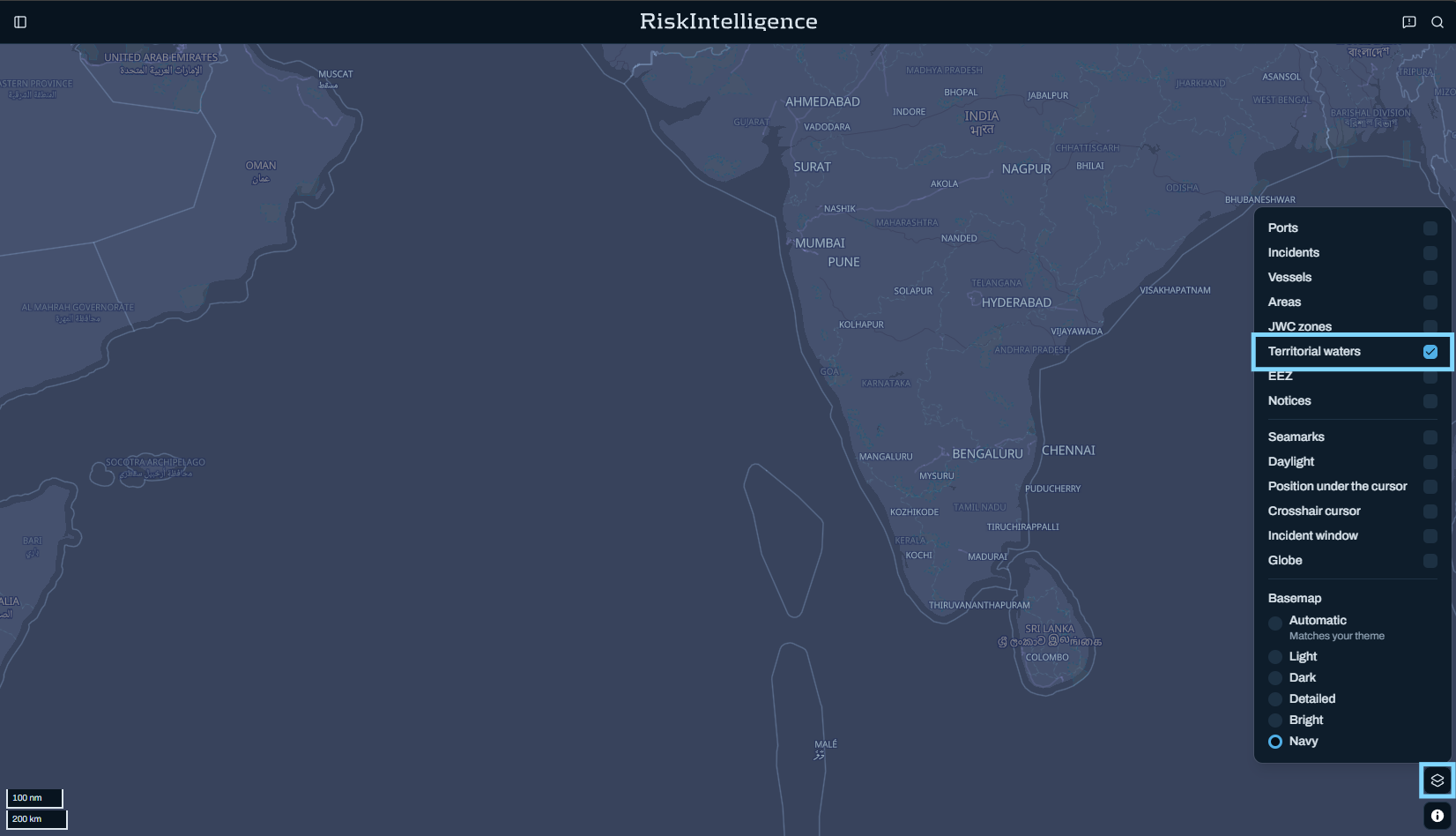
You can now display Country territorial waters directly on the main map.
To activate them, go to: Map Settings → Territorial Waters
From there, simply switch the layer on or off depending on what you would like to see.
▼ Exclusive Economic Zone boundaries added
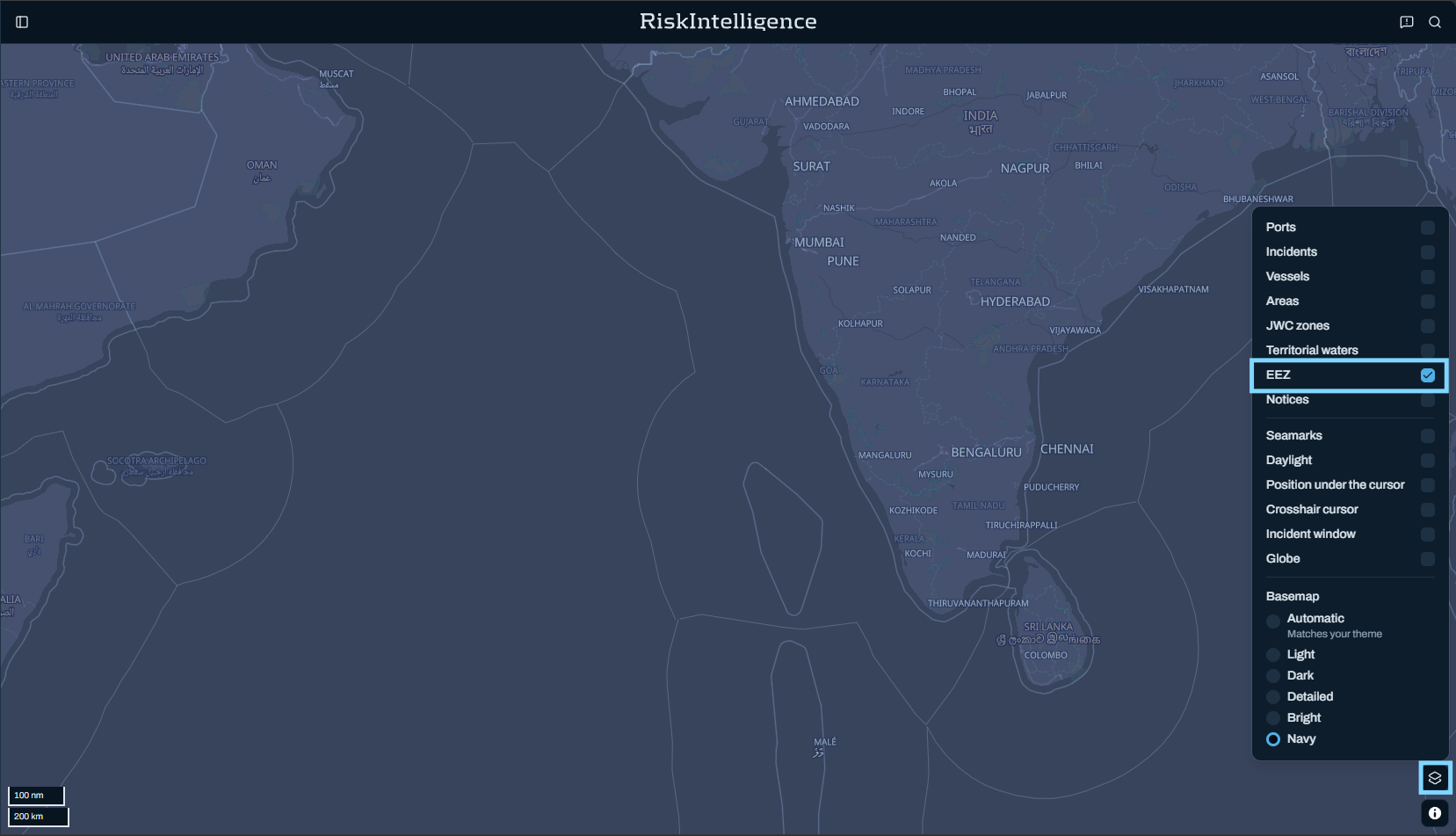
Exclusive Economic Zone (EEZ) boundaries can now also be displayed on the main map.
To activate them, go to: Map Settings → EEZ and switch the layer on or off as needed.
▼ Flag State Advisories now available from Port information
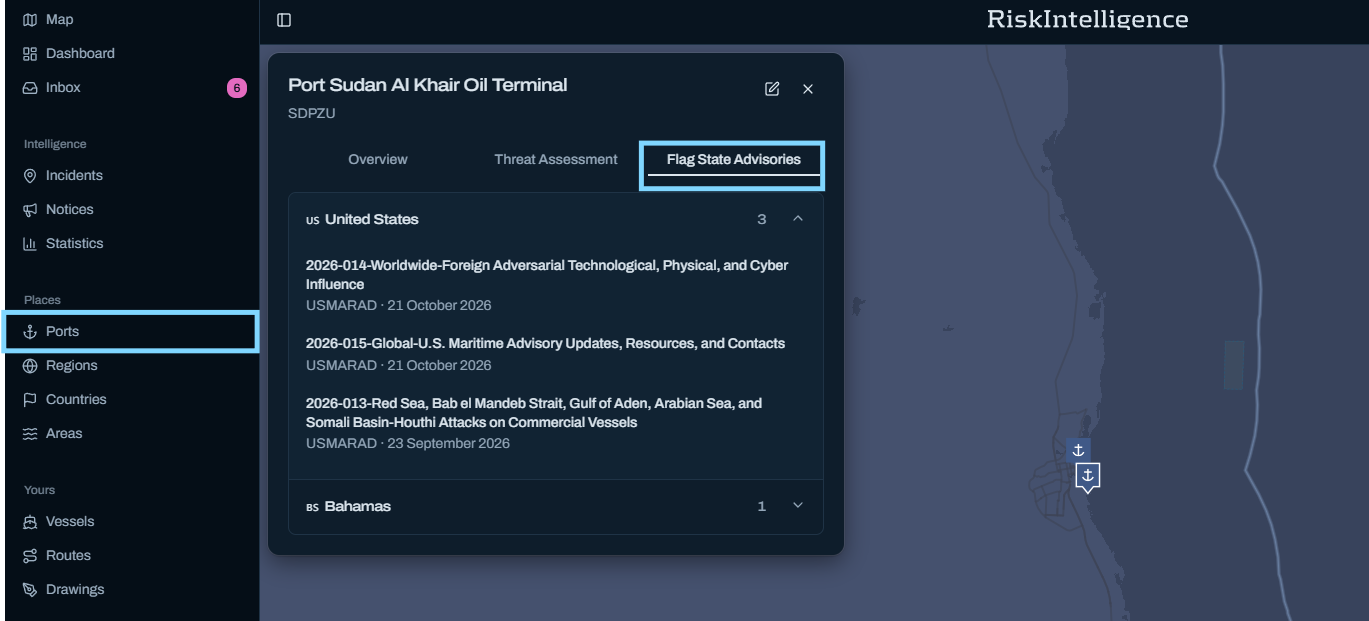
You can now access Flag State Advisories directly from Port information.
When you select a Port on the map, the Port information window now includes a Flag State Advisories tab alongside the Overview and Threat Assessment information.
Select Flag State Advisories to view the advisories that apply to that specific Port.
This makes relevant Flag State information easier to access while working directly from the Map.
Keep exploring
These updates are part of the ongoing development of System 2027, and you may continue to see changes and improvements throughout the Beta Programme.
We encourage you to explore the new options during your next session and see how they support your usual workflows.